A 120ms debounce does the heavy lifting
Slider drags collapse into a single render at the end of the debounce window, with a spinner while it waits. The preview feels live without re-running the whole stack for every tick of the drag.
GF-02Case study
A glitch-art workbench that runs entirely in the browser: stackable effects with seeded, reproducible randomness, a live Canvas preview debounced to 120ms, 12 presets, four export formats, and an animated GIF encoder in pure JavaScript. Nothing you load ever leaves the tab.
01The idea
Most glitch generators work like a slot machine. You mash a randomize button until something looks great, and the moment you touch anything else, that look is gone. The chaos is the appeal; losing it isn't.
GlitchFilter treats every artifact as a parameter. RGB channels shift by the pixel. Scanlines have spacing, thickness, and opacity. The block corruption that reads as random is driven by a seeded linear congruential generator, so seed 412 produces the same damage today, tomorrow, and on someone else's laptop.
That one decision (randomness as a parameter, not an event) carries the rest of the tool. It's what makes presets possible, share links possible, and a ten-frame animated GIF possible, where each frame is a controlled variation instead of a reroll.
// glitch-blocks: a seeded LCG stands in for Math.random()
next = seed * 1664525 + 1013904223

// gifExport: frame n re-runs the stack, nudged
frameSeed = seed + frameIndex * 1302The effects system
Effects live in src/effects, one file each, in a plugin-style registry keyed by id and grouped into five categories: distortion, vintage, overlay, noise, and color. An effect exports a single object: id, label, category, icon, default params, a controls array, and an apply function that takes ImageData and returns ImageData.
The controls array is the interesting part. Each entry declares a slider, select, or toggle with its min, max, step, and unit, and the controls panel renders itself from that metadata. Adding an effect means writing one file (every effect so far fits in under 70 lines) and the UI shows up on its own.
Effects stack. The pipeline is an ordered array of instances, each apply feeding the next, so scanlines can run over corrupted blocks, or twice over themselves: the Laser Grid preset stacks two scanline instances. Instances reorder by drag and drop and toggle on and off individually.
{
  id: 'glitch-blocks',
  label: 'Glitch Blocks',
  category: 'distortion',
  defaultParams: { /* one value per control */ },
  controls: [
    { param: 'count', type: 'slider', min: 1, max: 60 },
    { param: 'maxShift', type: 'slider', max: 200, unit: 'px' },
    { param: 'colorGlitch', type: 'toggle' },
    { param: 'seed', type: 'slider', min: 0, max: 999 }
  ],
  apply(imageData, params) { /* pixels in, pixels out */ }
}Six per-channel offsets (red, green, and blue on both axes, -100 to 100px), resampled from a pristine copy. Radial mode scales the shift by distance from center.
Spacing 2-20px, thickness 1-4px, 0-100% opacity, horizontal or vertical. Darkens rows by multiplying the channels down.
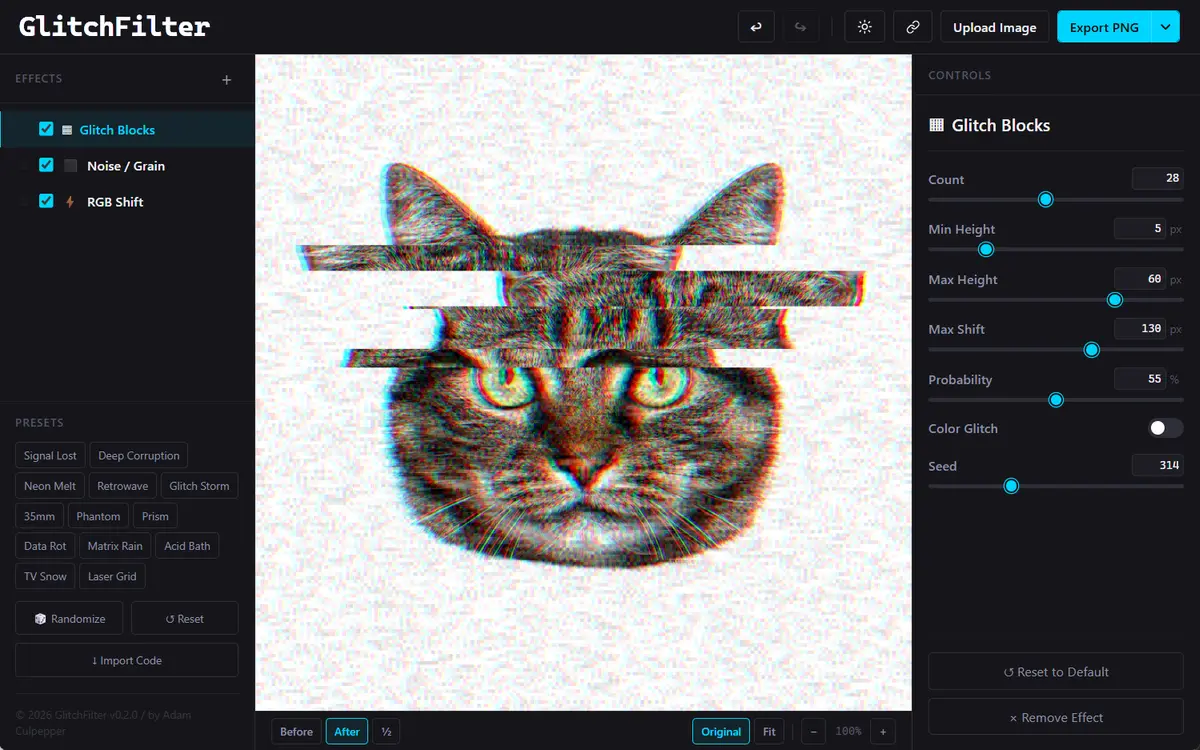
1 to 60 displaced slabs with height and probability controls, shifts up to 200px, an optional XOR pass over the red channel, and a 0-999 seed. Fully reproducible.
0-100% amount with chunky per-cell grain from 1 to 8px, in luminance or full color.
Noise, color bleed, jitter, chroma shift, warp, and opacity. Built, then pulled from the registry over color dominance issues. More in section 07.
03The render pipeline
The renderer is Canvas 2D and raw ImageData bytes. No WebGL, no workers, no shader mystery: just typed arrays and arithmetic you can read.
Pristine ImageData is Cloned to a fresh Uint8ClampedArray runs through Enabled effects, in order then putImageData · full resolution
Slider drags collapse into a single render at the end of the debounce window, with a spinner while it waits. The preview feels live without re-running the whole stack for every tick of the drag.
10% to 400% zoom is a CSS transform on the stage, so it costs nothing. Fit mode re-fits through a ResizeObserver when the window resizes; Original is an exact 100%.
A second canvas holds the untouched source underneath the output. The compare modes cross-fade the two with opacity, including a half-and-half split.
Survey noteThe source buffer is never mutated. Every look, no matter how destroyed, is one state change away from the original.
04The GIF encoder
Export needs no server and no upload. gifenc plus 71 lines of glue in gifExport.js turn a static effect stack into a looping animation.
The source runs through two offscreen canvases until its longest side is 640px or less. GIF is a heavy format; the cap keeps exports shareable instead of enormous.
Each of the 10 frames re-runs the entire effect pipeline. Any effect with a seed gets seed + frameIndex * 13, so glitch blocks jump deterministically from frame to frame, while noise varies on its own. The animation is the same controlled chaos, ten different ways.
Every frame gets its own 256-color palette through gifenc's quantize and applyPalette.
The encoder hands control back to the UI after every frame and reports progress, so the export button reads "Frame 3/10" instead of the tab freezing.
Frames encode at a 100ms delay (10fps, infinite loop), land in a Blob, download as glitchfilter-export.gif, and the object URL is revoked behind them.
05Privacy
There is no upload. A dropped file goes URL.createObjectURL to an Image to an offscreen canvas to getImageData, and lives in React state from then on. The src tree contains zero network calls: no fetch, no XMLHttpRequest, no axios, no beacons, no sockets.
The share feature is the proof. A share link compresses the effect stack (index-based effect ids, only the params that differ from defaults, select values as option indexes) into a base64 #preset= hash. It carries your settings, never your pixels. Paste a link or a bare code into the Import box and the exact look reproduces on any machine.
The only outbound touches in the whole app: navigator.clipboard.writeText when you copy a share link, and localStorage for the theme.
$ grep -rE "fetch\(|XMLHttpRequest|axios|sendBeacon|WebSocket" src/
exit 1 · no matches06The workbench
The shell is three panes: the effect stack on the left, the canvas in the middle, the auto-generated controls on the right. Around it, the parts a tool owes its user:
Signal Lost, Retrowave, Data Rot, TV Snow: each preset is a saved stack of two or three fully parameterized effect instances. Nothing magic, which is the point.
Picks 3 to 6 effects and rolls every slider within its declared range, honoring per-control randomMax caps so "random" stays usable instead of turning the canvas to soup.
Up to 20 history snapshots on Ctrl+Z, Ctrl+Y, and Ctrl+Shift+Z. A creative tool without undo is a toy.
PNG, JPEG, and WebP at the source's native size from a split button in the header, plus the animated GIF.
Drag and drop or click to load JPG, PNG, WebP, or GIF, decoded straight to ImageData. Dark and light themes persist to localStorage.
All state lives in a single React Context with useReducer: 16 action types in 233 lines. No Redux, no router, no state library.
07Margin of error
GlitchFilter is at v0.2.0, and the sheet marks its margins honestly.
Six parameters of tape damage, built and working, then hidden from the registry over color dominance issues (tracked as FEATURES.md #143). Shipping four good effects beats shipping five with one that muddies every image.
Every render walks the full-resolution byte array on the main thread: no WebGL, no workers. The 120ms debounce keeps it feeling live, and the 640px GIF cap keeps exports quick. If stacks grow much deeper, a worker is the natural escape hatch.
The GitHub Actions workflow builds and publishes to GitHub Pages behind the custom domain. That last box is checked: the site is live at glitchfilter.com (opens in a new tab).
10Plates
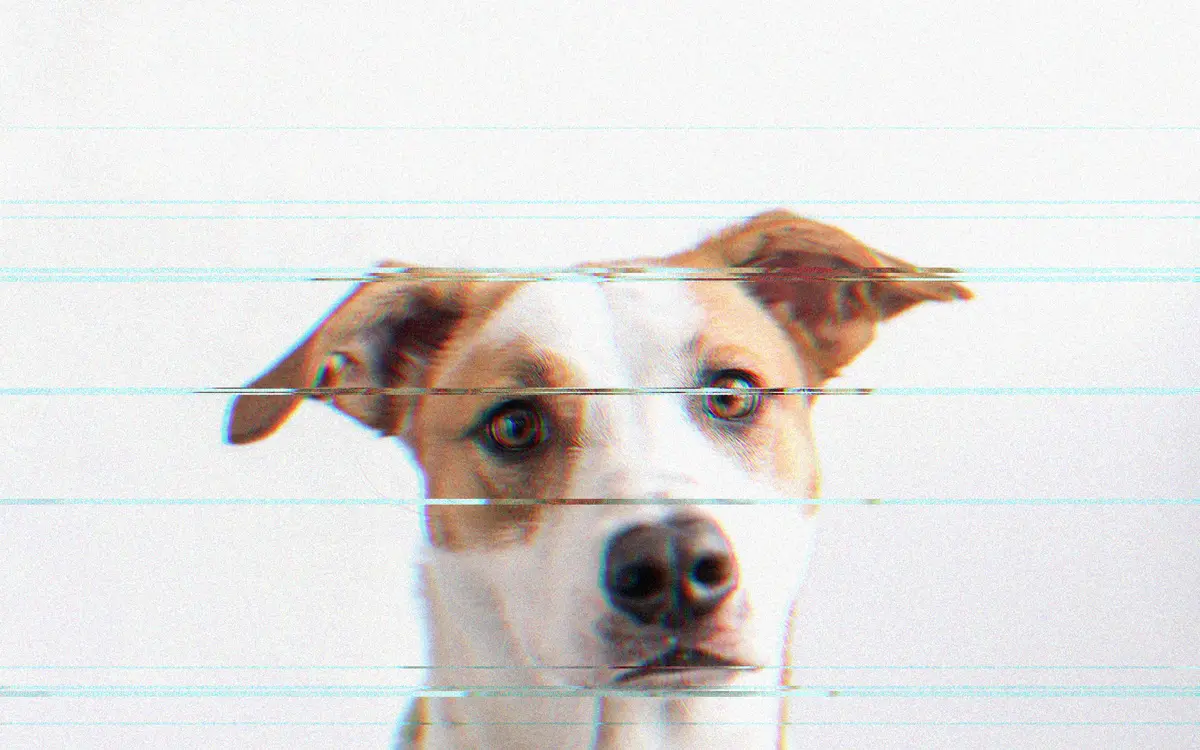
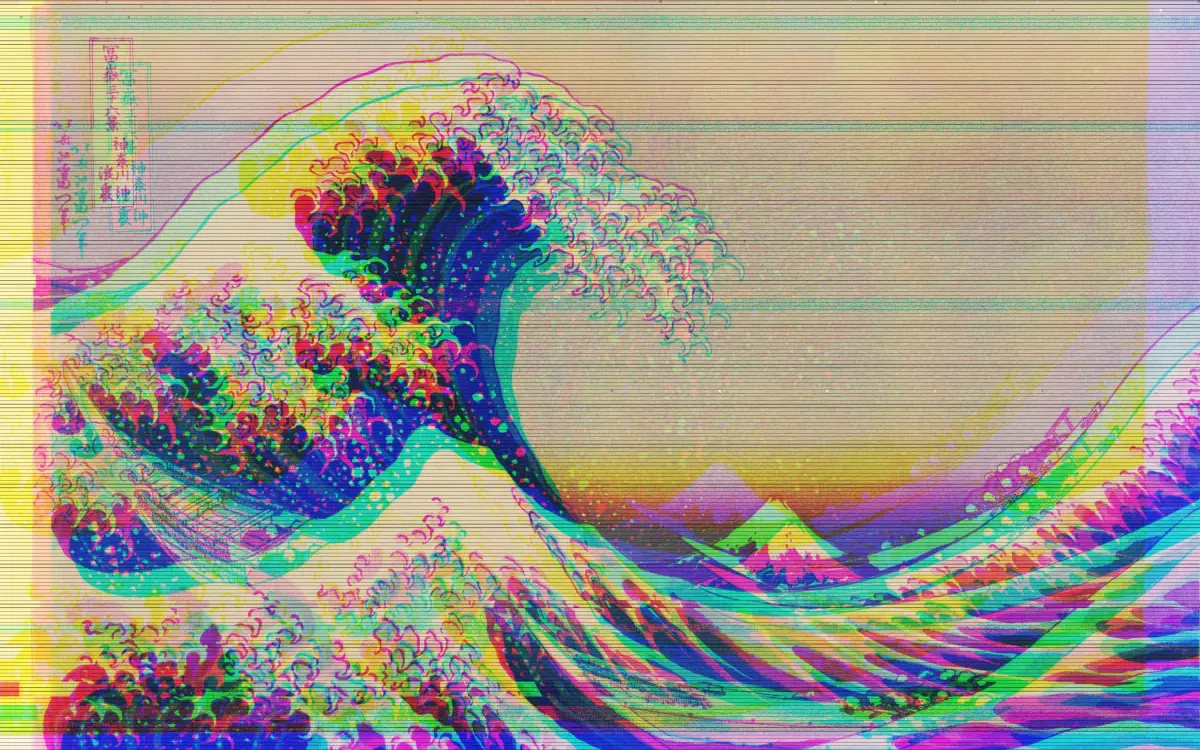
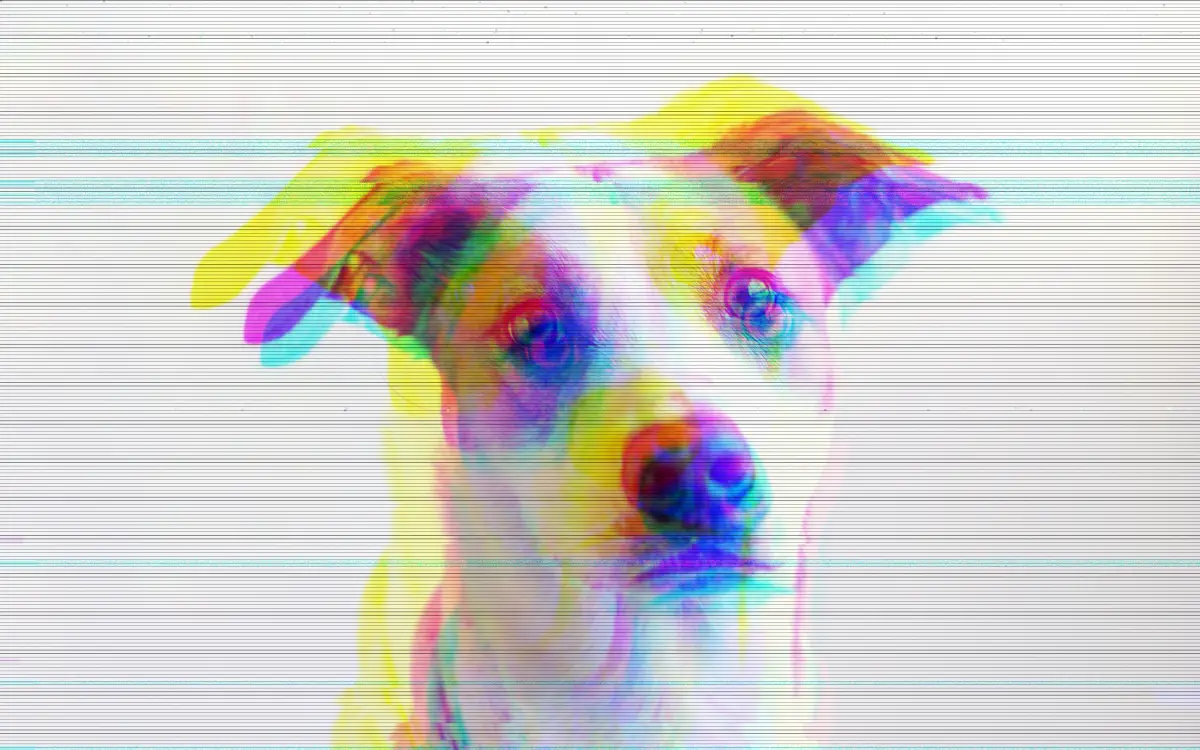
Four captures from the live tool: the workbench mid-edit, and three exports straight out of the encoder.
11Next traverse
GlitchFilter is the kind of frontend I enjoy most: real-time canvas rendering, deliberate state, and exports that never touch a server. If your product needs an editor, a configurator, or a live preview pipeline that runs entirely on the client, I build those, from the Chicago area and remotely.